> ## Documentation Index
> Fetch the complete documentation index at: https://docs.bpm.blood-solutions.com/llms.txt
> Use this file to discover all available pages before exploring further.
# Welcome
**In order to start using BPM do following:**
Visit [bpm.blood-solutions.com](https://bpm.blood-solutions.com/?referral_code=rtk).
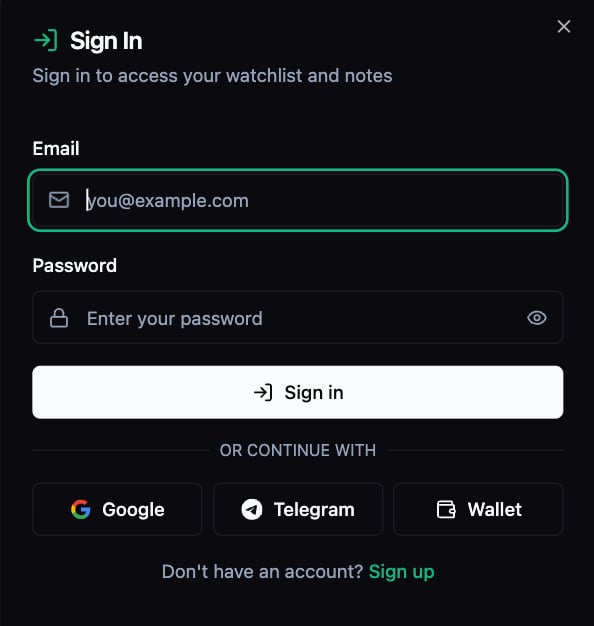
You have 2 options to setup your account:
* Create account using *email* and *password* by clicking **"Sign up"** button
* Create account using *Wallet, Telegram* or *Gmail* by clicking **"Log in"** button
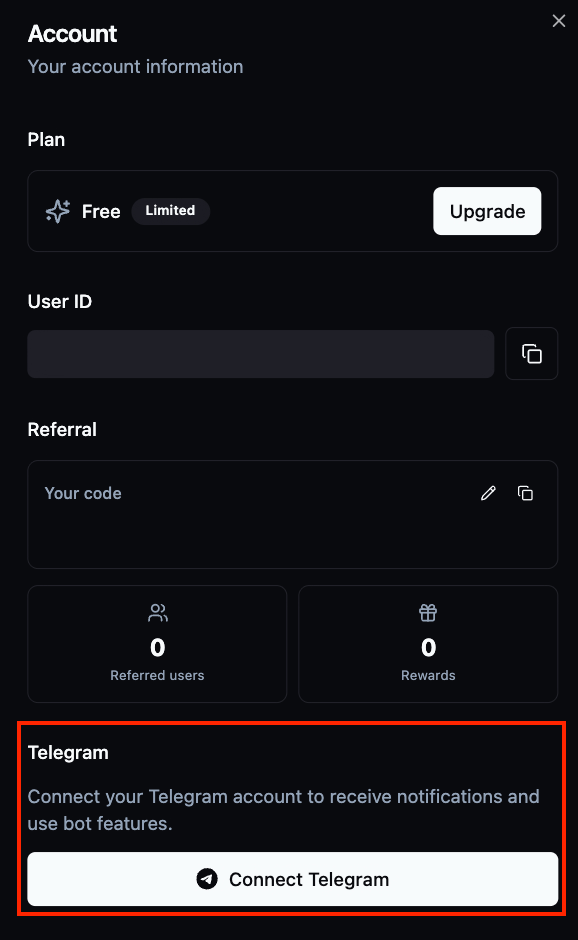
 If you used any type of account creation besides **Telegram**, you can link it later by clicking on **Profile button** in the upper right of a page for easier login from any other device.
 No advanced setup required - **BPM** works in your browser. A free account gives you access to core features immediately.
***
No advanced setup required - **BPM** works in your browser. A free account gives you access to core features immediately.
***
 **Once you logged in you can visit multiple pages:**
1. [Traders](/traders) (visit linked page for detailed information)
2. [Markets](/markets) (visit linked page for detailed information)
3. [Watchlist](/watchlist) (visit linked page for detailed information)
4. Basic search by wallet address or market name
5. Profile information
6. Log out
7. Settings (Color preferences)
**Once you logged in you can visit multiple pages:**
1. [Traders](/traders) (visit linked page for detailed information)
2. [Markets](/markets) (visit linked page for detailed information)
3. [Watchlist](/watchlist) (visit linked page for detailed information)
4. Basic search by wallet address or market name
5. Profile information
6. Log out
7. Settings (Color preferences)